
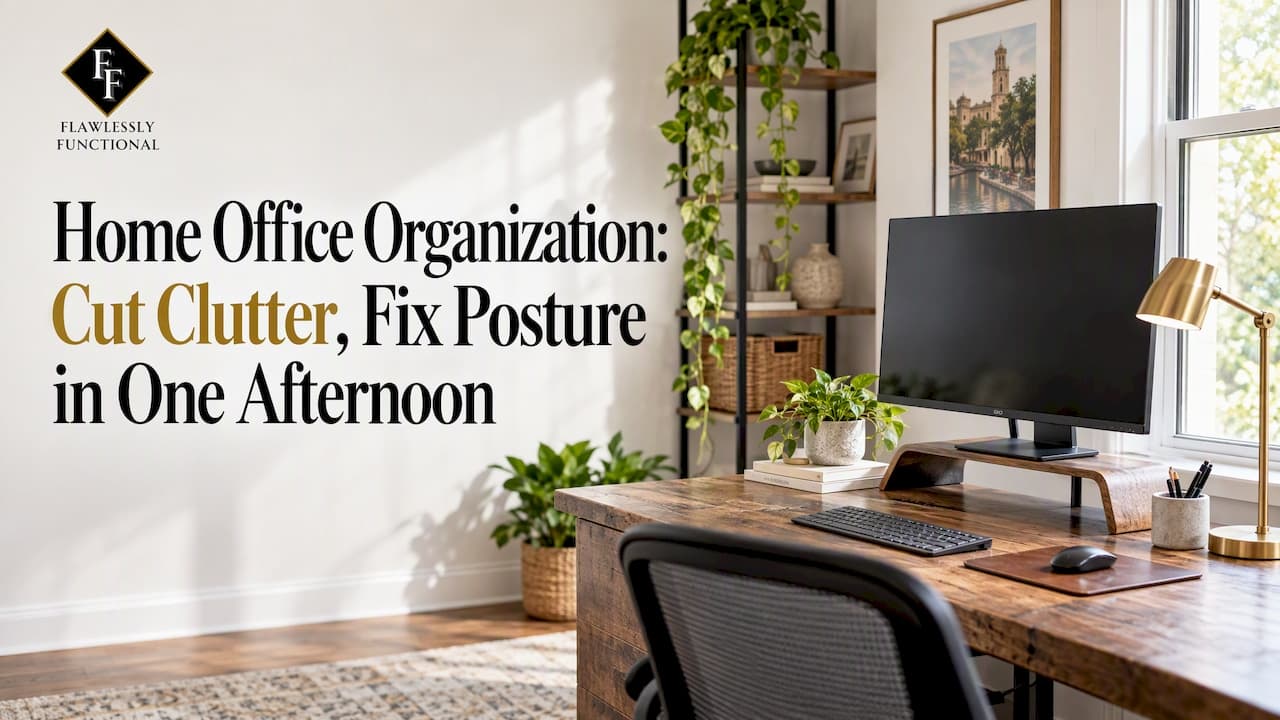
You can declutter and set up a functional home office in one afternoon by following a 4-step workflow: declutter, sort and store, set up ergonomics, and maintain. Start now by clearing your desk completely, creating three bins labeled keep, relocate, and discard, and raising your monitor so its top sits near eye level. If you want it done for you, we handle the whole process through our Luxury Home Organizing service.
TL;DR:
- When an item stalls the sort, discard it if replacement costs under $20 and takes under 20 minutes; handle sentimental belongings last.
- OSHA recommends a screen distance of 20 to 40 inches and a center position 15 to 20 degrees below eye level; try a riser before replacing the desk.
- Keep lithium ion batteries and retired devices out of household trash and curbside recycling; use certified recycling or a manufacturer take back service.
- A five minute daily reset, 30 minute weekly paper review, and quarterly purge help prevent clutter from returning without another deep clean.
- Digitize reference documents only after you have needed them more than twice in a year, and retain originals that require signatures or raised seals.
Table of Contents
- The step-by-step decluttering workflow that actually finishes
- Desk organization and ergonomic setup that OSHA actually recommends
- Storage solutions that free up your desk without a remodel
- A paper system that never piles back up
- Cable and tech management, done the responsible way
- A maintenance routine that keeps the office organized
- How professionals approach a home office organization project
- A personalized space assessment makes the plan fit your actual routine
- Incorporating luxury design elements without sacrificing function
- Letting smart home technology support office efficiency
- Labeling systems that make retrieval instant
- Organizing the paperwork that comes with a move
- Combining organization with interior styling for a finished look
- The emotional and productivity payoff of an organized office
- Get a flawlessly organized office without doing it alone
- FAQ
- Sources
The step-by-step decluttering workflow that actually finishes
Most home office declutters stall because the project has no edges. Give yours a time box and a clear sequence, and you can finish the first pass in under two hours.
- Clear everything off the desk and surrounding surfaces. Put every item into a holding pile so you start from a blank surface.
- Sort into three bins: keep, relocate, discard. Anything that belongs in another room goes into relocate, and broken or dead items go straight to discard.
- Apply the 20/20 rule to anything you hesitate over. If you could replace it for under $20 in under 20 minutes, let it go.
- Route electronics and batteries to a separate container immediately. Do not mix them with general trash, since they need their own disposal path.
- Set temporary homes for everything in the keep pile. A labeled box on a shelf is enough for now, even if it is not the final spot.
- Handle sentimental items last, in a single short pass. Decide keep or relocate quickly rather than opening every box and reminiscing.
- Reassess the desk surface before you stop. Only daily-use tools should make it back onto the desk itself.
Work in 25 to 45 minute sprints with a short break between them. Momentum fades fast once a session runs long, and a tired brain starts keeping things it does not need.
Pro Tip: Keep a donation box by the door during the whole process. Items you are not sure about often become obvious once you see them next to the donation pile.
Desk organization and ergonomic setup that OSHA actually recommends
A tidy desk matters less than where your eyes and hands land when you sit down. OSHA's guidance on monitor placement sets a preferred viewing distance of 20 to 40 inches from your eyes to the screen, with the center of the monitor positioned 15 to 20 degrees below your horizontal eye level to reduce neck strain.
That 15 to 20 degree range is worth measuring, not eyeballing: most monitors sit too low once a laptop or a thin stand is involved, and the fix is usually a riser, not a new desk.
A monitor riser also doubles as storage. Raising the screen to the correct height opens a low shelf underneath where a keyboard, a notebook, or a small tray can live without taking up desk-surface real estate, something OSHA's workstation components guidance treats as a natural pairing rather than a workaround.
Beyond monitor height, a few checks make the biggest difference:
- Your chair should let your feet rest flat on the floor or on a footrest, with knees roughly level with your hips.
- Position your desk perpendicular to any window rather than facing it, which cuts glare on the screen.
- Keep your keyboard and mouse close enough that your elbows stay near your sides, not reaching forward.
- If you use a sit-stand desk, change position every 45 to 60 minutes rather than waiting until you feel stiff.
- Store anything you use less than weekly off the desk entirely, in a drawer or on a nearby shelf.
OSHA's workstation purchasing guide also recommends adjustable work surfaces and adequate desk depth, which lets you shift the whole setup instead of locking into one fixed posture. Small adjustments here add up: a clear desk paired with correct monitor height removes the two most common sources of midday fatigue.
Storage solutions that free up your desk without a remodel
Once the decluttering pass is done, the goal shifts to giving everything that is left a permanent, visible home. The right container depends on what you are storing and how often you touch it.
- Desktop trays and small bins suit daily tools like pens, sticky notes, and chargers that need to stay in reach.
- Drawer dividers work best for office supplies you use a few times a week, like staplers, tape, and spare cables.
- Clear or labeled bins on shelving suit reference materials and supplies you grab monthly rather than daily.
- Floating shelves above the desk reclaim wall space for books, binders, and decor without touching the desk footprint.
- A pegboard gives you adjustable, visible storage for headphones, small tools, and frequently swapped accessories.
- A wall-mounted file holder keeps active paperwork upright and visible instead of stacked flat on the desk.
- An under-desk mobile pedestal holds files or supplies you need often but do not want permanently in view.
Choose a small number of finishes and container styles rather than mixing whatever you already own. A desk that pairs matching bins and consistent box colors reads as organized even on a busy day, while mismatched containers make a tidy space look cluttered from across the room. Transparent bins work well for items you need to identify at a glance, while opaque, labeled boxes suit anything you would rather not see every time you glance up.
A paper system that never piles back up
Paper clutter comes back fast because most systems have too many categories to maintain. A simpler triage keeps it from reaccumulating.
- Action: anything that needs a response this week goes in a single shallow tray on the desk, nowhere else.
- Reference: documents you check occasionally, like manuals or insurance policies, go into a handful of broad labeled folders rather than dozens of narrow ones.
- Archive: tax records, contracts, and anything with a legal retention period go into a separate box or drawer, out of daily sight.
- Shred: anything with personal information that you do not need to keep gets shredded immediately, not stacked for later.
For the reference and archive piles, resist the urge to scan everything. A reasonable rule is to digitize a document only once you have needed it more than twice in a year, and to keep a simple backup routine, such as syncing scanned files to one cloud folder, so originals can be shredded with confidence once they are backed up. Keep physical originals only when a document legally requires a signature or a raised seal, such as a property deed or a birth certificate.
Cable and tech management, done the responsible way
Loose cables are one of the fastest ways a tidy desk starts looking chaotic again. A few small habits fix most of it:
- Run cables through an under-desk tray or sleeve so they stay off the floor and out of sight.
- Use adhesive clips along the back edge of the desk to keep each cable's path fixed in place.
- Bundle cables that run together with a braided sleeve, and label both ends of anything you might need to trace later.
- Keep spare chargers, cables, and small electronics in a labeled pouch or a small charging station instead of a junk drawer.
Old batteries and devices need a different path than your regular trash. The EPA's guidance on lithium-ion batteries is direct: they should never go in household trash or curbside recycling, and should instead go through a certified recycling program or a manufacturer take-back service. Recycling a large number of laptops saves energy roughly equivalent to the annual electricity use of thousands of American homes, according to the EPA's electronics recycling guidance. Keep a small labeled container for dead batteries and retired devices, and drop them off the next time you pass a collection point.
A maintenance routine that keeps the office organized
An organized office stays that way only with a light, repeatable rhythm, not an occasional deep clean.
- Daily: spend five minutes at the end of the day clearing the desk and returning anything out of place to its home.
- Weekly: set aside 30 minutes to process the action tray, file anything that needs filing, and restock supplies that are running low.
- Quarterly: do a short purge using four categories: recycle, shred, donate, repair. Anything broken gets fixed or discarded within the quarter rather than lingering.
Attach these to habits you already have. A Friday afternoon review before you log off, or a calendar reminder on the first of each quarter, removes the need to remember on your own.
How professionals approach a home office organization project
When a home office needs more than a weekend fix, a professional organizer brings a process most DIY efforts skip: a full walkthrough, a tailored storage plan, and systems built around how you actually work rather than a generic template. Our approach at Flawlessly Functional centers on white-glove, collaborative service that treats function and appearance as equally important, with systems designed to last rather than look good for a week.
Hiring a pro tends to make sense when a project involves more than a few hours of sorting, when a move is layered on top of the reorganization, or when the emotional weight of sentimental items makes decisions slow. Positive client feedback comes from clients who came in with chaotic, overloaded workspaces and left with rooms that function the way they actually live and work.
A personalized space assessment makes the plan fit your actual routine
A generic layout rarely survives real use, because every home office supports a different mix of calls, paperwork, and focus work. A personalized space assessment starts with how you move through the room: where you sit most, which surfaces you actually reach for, and which storage gets ignored within a week.
That assessment also accounts for the room itself, not just the furniture in it. Outlet placement, window position, door swing, and even where a pet or a child might wander all shape what a "good" layout looks like in your specific room. A desk that works beautifully against one wall can create glare, cord clutter, or a blocked walkway against another.
We build every project around this kind of walkthrough before recommending a single storage piece. The goal is a layout that matches your actual workday, not a template pulled from a magazine. For readers tackling this on their own, the same principle applies: sketch your room, mark where you naturally sit and reach, and let that sketch, not a showroom photo, decide where furniture and storage go.

Incorporating luxury design elements without sacrificing function
A well-organized office does not have to look purely utilitarian. Design commentary on layered office design describes building a room in three layers: the bones (desk, chair, storage), the atmosphere (lighting, rugs, texture), and the personality (art, objects, finishes), so decorative choices support the functional layer instead of fighting it.
In practice, that means choosing a desk and storage pieces with a finish you actually like, such as a warm wood tone or a matte brass pull, rather than treating organization and style as separate projects. A single well-placed rug under the desk area, a task lamp with a finish that matches your hardware, or one piece of art on an otherwise clear wall can make an organized room feel considered rather than clinical.
The order matters: get the storage and layout right first, then layer in the finishes. A beautiful desk with no system behind it collapses into clutter within weeks, while a functional layout with thoughtful finishes tends to stay that way because it already looks worth maintaining.

Letting smart home technology support office efficiency
Smart home devices can quietly remove friction from a home office without adding visual clutter. A smart plug on a monitor and task lamp lets you power down the whole desk setup with one command at the end of the day, rather than reaching behind furniture for switches.
Voice-controlled lighting adjusts brightness through the day without a stack of manual switches near the desk, and a smart speaker can handle timers for focus sprints or breaks without pulling your attention to a phone. For video calls, a smart light positioned just outside the camera frame solves lighting problems that otherwise clutter a desk with extra lamps.
Keep the technology itself tidy: a small charging station or labeled pouch for the hubs, remotes, and cables these devices need prevents them from becoming their own category of clutter.
Labeling systems that make retrieval instant
A storage system only works if you can find what you put away without opening every bin. Consistent labeling is what makes that possible.
Pick one labeling format and use it everywhere: a label maker for a uniform look, or hand-written tags if that fits your style better, but not a mix of both. Label by category rather than contents when a bin might change over time, so "office supplies" stays accurate even as what is inside shifts. For archive boxes and reference folders, include the broad category and the date range rather than an exhaustive list of contents, which keeps the label readable and still useful years later.
Clear bins reduce the need for labels in places where you want to see contents at a glance, while opaque bins in a closet or cabinet rely on labels entirely, so label those first and most carefully.
Organizing the paperwork that comes with a move
A move generates its own flood of paper on top of whatever your office already handles: closing documents, lease agreements, moving company estimates, change-of-address confirmations, and insurance paperwork. Give this pile its own temporary folder the moment the move is confirmed, separate from your regular filing system, so it does not get buried in daily mail.
Sort moving paperwork into three groups as it arrives: documents you need during the move itself (contracts, inventories, keys and codes), documents you need shortly after (utility setup, address changes, school or medical transfers), and documents to archive long-term (the lease or closing paperwork itself). Keep the first group in a single folder you carry with you on moving day, not packed in a box.
Our Moving Management Concierge service handles this kind of paperwork alongside the physical packing and unpacking, so the two do not compete for your attention during an already stressful week.
Combining organization with interior styling for a finished look
Organization and styling solve different problems, but a home office looks unfinished when only one gets attention. A perfectly sorted desk in a room with no cohesive color palette still feels chaotic, and a beautifully styled room with no storage system falls apart within a month.
The practical order is to organize first and style second. Once storage and layout are settled, styling choices like a rug, artwork, or a lighting fixture, can be chosen to match the organizational pieces already in place rather than working around them. If you are placing a rug under a rolling office chair, check that it is low-pile and rated for furniture with casters, since guidance on office chairs and rugs covers which pile heights hold up under daily rolling.
We offer Interior Styling and Home Staging as a natural next step once a space is organized, so the final look matches the effort that went into making it functional.
The emotional and productivity payoff of an organized office
A cluttered desk is not just an eyesore. Research on visual clutter shows that higher clutter levels in a workspace are linked to lower cognitive capacity and reduced task accuracy, which lines up with how most of us feel sitting down at a messy desk: distracted before the work even starts.
Clients describe the same shift: less friction, fewer decisions, calmer days. Try the 4-step workflow this week and track one thing, how long it takes you to start working after sitting down.
— Steve
Get a flawlessly organized office without doing it alone
If the workflow above sounds right but the time or energy is not there, that is exactly the gap our Luxury Home Organizing service fills. We build a tailored storage plan around your actual routine, source containers and shelving that match your home's style, and set up systems meant to last well past the first month.

Getting started is simple: reach out for a consultation, walk us through how you use the space, and we handle the sorting, storage, and setup from there. If your office project is tangled up with an upcoming move, our Moving Management Concierge folds packing, unpacking, and organizing into one coordinated process instead of two separate headaches. You can also read more about the emotional relief of an organized home to see what clients notice first after a project wraps. Start with a consultation through Flawlessly Functional and get the space working for you.
FAQ
How do I organize my home office?
Start with the 4-step workflow: declutter using a keep, relocate, discard sort, then store what remains in labeled containers suited to how often you use each item. Set up your desk with correct monitor height and reachable essentials, then maintain it with a five-minute daily reset and a weekly processing session.
How should a home office be arranged?
Arrange your desk perpendicular to windows to cut glare, with your monitor positioned so its center sits 15 to 20 degrees below eye level, per OSHA's monitor guidance. Keep daily-use items within arm's reach and move everything else to drawers, shelves, or under-desk storage.
What is the best setup for a home office?
The best setup pairs an adjustable chair and desk with a monitor at the correct height and distance, generally 20 to 40 inches from your eyes according to OSHA's workstation components guidance. Add vertical storage like floating shelves or a pegboard to keep the desk surface clear for active work.
How often should I reorganize my home office?
A daily five-minute reset and a weekly 30-minute processing session prevent most clutter from building up, with a deeper quarterly purge for anything you have not touched in months. This rhythm tends to hold up better than occasional deep cleans because it never lets clutter accumulate far enough to feel overwhelming to tackle.
Should I hire a professional organizer for my home office?
A professional organizer makes sense when a project involves more time, more decisions, or more sentimental items than you can realistically sort in a weekend. Services like our Luxury Home Organizing build a tailored system around your routine rather than a one-size-fits-all layout.
Sources
- eTools : Computer Workstations - Workstation Components - Monitors | Occupational Safety and Health Administration
- Using virtual reality to systematically examine impacts of noise and visual clutter on message elaboration and cognitive capacity - PMC
- Electronics donation and recycling | US EPA