
Media room storage, in the professional organizing sense, means bespoke cabinetry and cable systems designed around your specific equipment and habits, not furniture you buy off a floor. The best approach pairs custom built-in millwork with a professional organizer who manages the design, the wiring, and the daily-use logic together. Some professional organizers build this model, treating equipment storage as architecture rather than an afterthought.
TL;DR:
- Custom built-in cabinetry can increase usable storage by approximately 35 to 40 percent and serve as a permanent, architectural upgrade.
- Proper cable routing, ventilation, and dedicated circuits are essential to prevent overheating and maintain system performance over time.
- A well-designed media system should be planned from the start, including placement of outlets, IR extenders, and secure storage for high-value electronics.
- Hiring a professional organizer ensures a structured process for design, installation, and final setup, reducing daily frustration and decision fatigue.
- Lockable storage options are available to secure valuable electronics and protect household equipment, especially in homes with children or frequent visitors.
Table of Contents
- Why Hire a Professional for Media Room Storage?
- Built-In, Hybrid, or Freestanding: Which Fits Your Room?
- Cable Management and Equipment Access That Actually Work
- What Happens When You Hire a Media Room Organizer
- Your Pre-Consultation Checklist
- Keeping Your System Running Smoothly
- Fitting the System to Your Actual Equipment
- Locking Down Valuable Media Equipment
- What Fifteen Years of Watching Cluttered Rooms Taught Me
- How Flawlessly Functional Builds Your Media Room System
- Sources
- FAQ
Why Hire a Professional for Media Room Storage?
A generic console hides your cables behind a curtain of chaos and calls it done. A professionally designed system solves the whole problem at once: where equipment lives, how it breathes, and how the room feels at 8 p.m. on a Tuesday.
The functional case is straightforward. A pro zones equipment by function, plans cable routes before a single panel goes up, and leaves service access so a technician isn't disassembling your wall to replace a router two years from now. The aesthetic case matters just as much. Good cabinetry reads as architecture, with integrated lighting and a deliberate mix of open display and concealed storage instead of a stack of black boxes on a shelf.
There's also a quieter benefit nobody markets well: less daily friction. You stop hunting for the remote, stop untangling cords behind the TV, stop feeling low-level irritation every time you walk into the room.
- Renters or short-term occupants: freestanding units make more sense.
- Homeowners intending to stay long term: built-ins can provide daily ease and resale appeal.
- Anyone unsure of future layout: a hybrid approach keeps options open.
Pro Tip: Walk your media room at night with the lights off and only the equipment powered on. Every glowing standby light and stray cable you notice is exactly what your organizer needs to plan around.
Built-In, Hybrid, or Freestanding: Which Fits Your Room?
Three real paths exist here, and each one trades something for something else.
- Full built-in cabinetry. This uses your full wall height, hides wiring inside the wall structure, and creates dedicated ventilated zones for each device. Built-ins can increase usable storage by an estimated 35 to 40 percent compared with typical furniture arrangements, and they tend to be viewed as permanent upgrades rather than furniture.
- Hybrid systems. Fixed cabinetry handles the TV wall and cable runs, while movable units handle overflow media, games, or seasonal items. This suits households whose collection or equipment list is still growing.
- Freestanding units. No wall modification, full portability, lowest upfront cost. The trade-off is less storage density and cable runs that are harder to hide.
The general rule is simple: choose built-in when the room's function is settled and you want maximum efficiency, choose freestanding when flexibility or a shorter time horizon matters more. Built-ins also tend to be viewed by buyers as an architectural feature when the room ever goes on the market, which freestanding furniture never quite achieves.
Cable Management and Equipment Access That Actually Work
This is where most amateur installs fail. Cables get shoved behind a console, ventilation gets ignored, and six months later the receiver is overheating in a sealed cabinet.
A well-designed system routes cables through the interior structure of the cabinetry itself, with runs planned from each device to its power source and to the television before installation starts, not improvised afterward. Some of the same logic that keeps a kitchen counter's cords tidy applies here: group and label cords, route them through dedicated channels, and plan outlet placement rather than reacting to it.
Ventilation deserves equal attention. A closed cabinet housing a cable box, a gaming console, and an AV receiver generates real heat, and shelf depth plus door design determine whether that heat has anywhere to go.
- Use vented or perforated cabinet doors near any device that runs hot.
- Leave at least two to three inches of clearance behind stacked components.
- Install removable back panels for service access without demolition.
- Route dedicated circuits for high-draw AV equipment and add surge protection.
A 35 to 40 percent gain in usable storage is what well-designed built-ins can deliver over standard furniture arrangements, largely because vertical wall space goes unused in most freestanding setups.
Display versus concealment is a design decision, not an afterthought. Open shelving for a curated speaker collection or vinyl display, paired with closed cabinetry for the router and cable box, gives you both visual interest and a clean front panel.
What Happens When You Hire a Media Room Organizer
The process is more structured than most homeowners expect, and that structure is what protects your budget and your timeline.
- Initial call. A short intake conversation covers your equipment list, room dimensions, and goals.
- On-site consultation. The organizer assesses the space, photographs everything, and discusses display priorities versus concealment needs.
- Proposal and design approval. You review drawings, a cable and power plan, and a timeline before anything is built.
- Installation. Millwork, electrical, and AV coordination happen in sequence, with every cable run pre-planned so nothing gets improvised on install day.
- Final organizer setup. Devices get placed, cables get dressed, and remotes and accessories get a permanent home.
Timelines vary by scope. A single wall of cabinetry might move from consultation to finished install in a few weeks; a full room with electrical work and custom millwork often runs longer once subcontractors are coordinated. Budget drivers include materials, joinery complexity, electrical or AV labor, and finish selections, so expect a range in any honest proposal rather than a flat number.
Pro Tip: Ask for the cable and power plan as a standalone document, separate from the design drawings. If a proposal can't produce one, the cable routing probably hasn't been thought through yet.
Your Pre-Consultation Checklist
Walk into your first meeting with a few things ready, and the conversation moves faster and produces a tighter proposal.
- Photos of the room from multiple angles, including behind existing furniture.
- TV dimensions and mounting height preferences.
- A full device list: consoles, streaming boxes, receivers, routers.
- Items you want displayed versus items you want hidden entirely.
Ask the pro directly how they handle ventilation, where cable runs will physically go, whether they use licensed subcontractors for electrical work, and what their timeline and warranty look like. Ask for references and, ideally, photos of a comparable past project. A proposal missing a scope of work, a cable plan, or clear acceptance criteria is a red flag worth pausing on before you sign anything.
Keeping Your System Running Smoothly
Check ventilation and cable connections every six to twelve months, especially after adding new equipment. Wipe down open shelving and check hinges on cabinet doors seasonally so nothing starts sticking or sagging.
If you add a new console, soundbar, or streaming device that wasn't part of the original plan, that's the moment to call your organizer back rather than forcing a new cable into an old routing plan.
Fitting the System to Your Actual Equipment
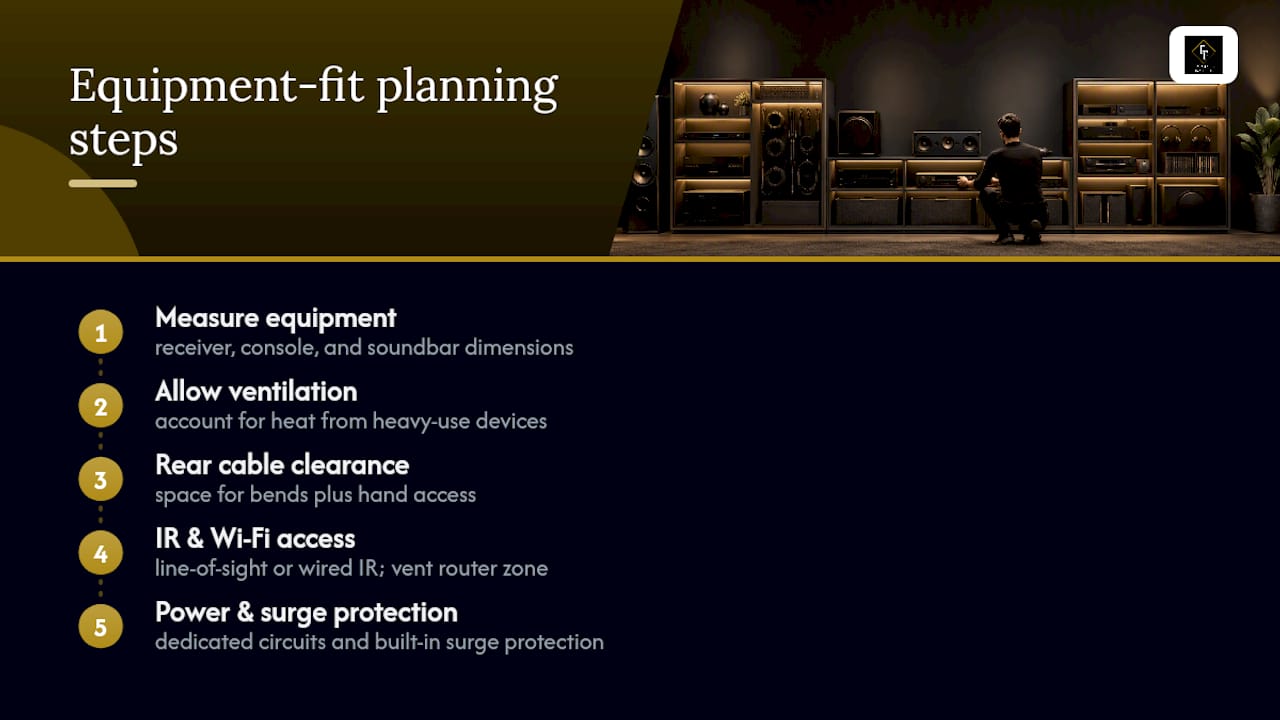
A storage system only works if it was designed around the equipment you actually own, not a generic template. That means measuring your specific receiver, console, and soundbar dimensions before cabinetry gets built, not after.
Ventilation needs vary by device. A gaming console under heavy use generates more heat than a streaming stick, and a cabinet designed for one won't necessarily suit the other. Shelf depth matters too: a deep receiver with rear-panel connections needs enough clearance behind it for cables to bend without stress, plus room for a hand to reach in and reseat a loose connection.
IR (infrared) remote compatibility is easy to overlook until it becomes a daily annoyance. If your equipment sits behind a closed door, either the door needs a clear line of sight or the system needs an IR extender wired in during installation, not bolted on afterward. The same goes for Wi-Fi signal strength: a router sealed inside a dense cabinet can lose range, so some designs call for a vented or partially open zone specifically for networking equipment.
Power planning ties it together. Dedicated circuits reduce the risk of tripped breakers when multiple high-draw devices run simultaneously, and surge protection built into the cabinetry protects equipment that often costs more than the cabinetry itself.
Locking Down Valuable Media Equipment
Home theater equipment adds up fast, and a media room often holds more resale-worthy electronics than any other room besides the kitchen. Lockable storage isn't paranoia, it's proportional to what's actually sitting in that cabinet.
Lockable cabinet doors on lower zones work well for consoles, controllers, and smaller valuables that are easy to grab and easy to resell. For higher-value components like a dedicated AV receiver or a projector, some homeowners opt for a locking drawer or cabinet with a keyed or push-button mechanism rather than a simple latch.
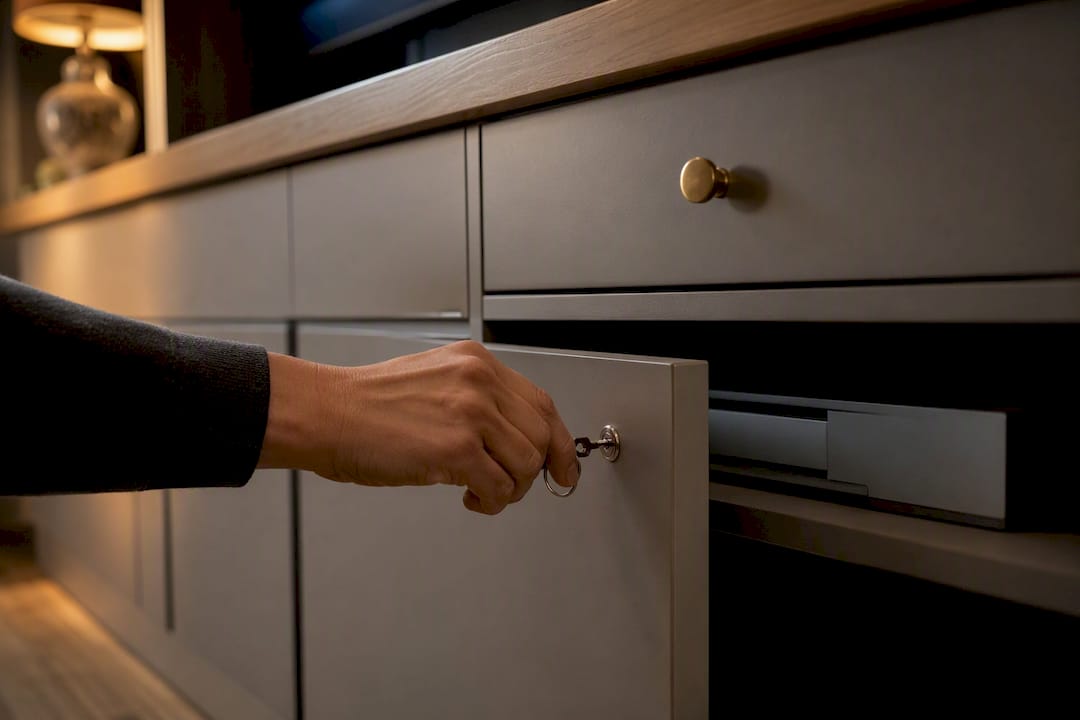
Security also matters for households with kids or frequent guests. A locked panel keeps curious hands off delicate wiring and expensive gear without turning the room into something that feels off-limits. Pair physical locks with basic common sense: keep serial numbers and photos of high-value equipment on file in case you ever need them for insurance purposes.
What Fifteen Years of Watching Cluttered Rooms Taught Me
Most homeowners think their media room problem is a storage problem. It's usually a decision problem: nobody ever decided where the remote lives, so it lives everywhere. The emotional relief clients describe after a proper install isn't about the cabinetry looking nice. It's about not having to make forty small decisions every evening just to watch television. A high client rating reflects that pattern more than any single design trend.
— Steve
How Flawlessly Functional Builds Your Media Room System
Some professional organizers design and manage media room storage from the first sketch to the last cable tie, coordinating custom cabinetry, electrical and AV needs, and concierge-level organizing that makes the finished room livable. Some services also handle packing, unpacking, and setup as part of a seamless process instead of juggling separate vendors.
Come to your first consultation with your device list and a few photos of the room, and your professional organizer will walk you through design options, ventilation and cable planning, and a realistic timeline on the spot. Ready to see what a properly designed media room looks like in your own house? Request a consultation and start with a plan built around your equipment, not a showroom floor sample.
Sources
- Media Center Solutions That Transform Your Living Room
- Custom Built-Ins vs. Furniture: Why Built-In Millwork Changes How a Room Feels | Timber Design + Build
- What to Expect When You Hire a Professional Organizer: The Organizing Process Explained — Girl With A Truck™
- Built-In vs Freestanding Storage (2026 Guide) – VBU Furniture | Value. Beauty. Utility.
FAQ
Is built-in media storage worth the cost over freestanding furniture?
For homeowners staying put long-term, yes. Built-ins can increase usable storage by an estimated 35 to 40 percent and tend to read as a permanent architectural feature rather than furniture.
How long does a custom media room storage project take?
It depends on scope. A single cabinetry wall can move from consultation to install in a few weeks, while a full room with electrical and AV coordination typically takes longer.
Does Flawlessly Functional handle cable management and AV coordination?
Yes. Flawlessly Functional plans cable routing, ventilation, and equipment zoning as part of its custom media room design process, coordinating with electricians and AV installers as needed.
Can I lock my media equipment inside custom cabinetry?
Yes, lockable cabinet doors or drawers can be built into the design for consoles, receivers, and other high-value equipment, especially in homes with kids or frequent guests.
What should I bring to my first consultation?
Bring photos of the room, your TV dimensions, a list of every device you own, and a sense of which items you want displayed versus hidden.