
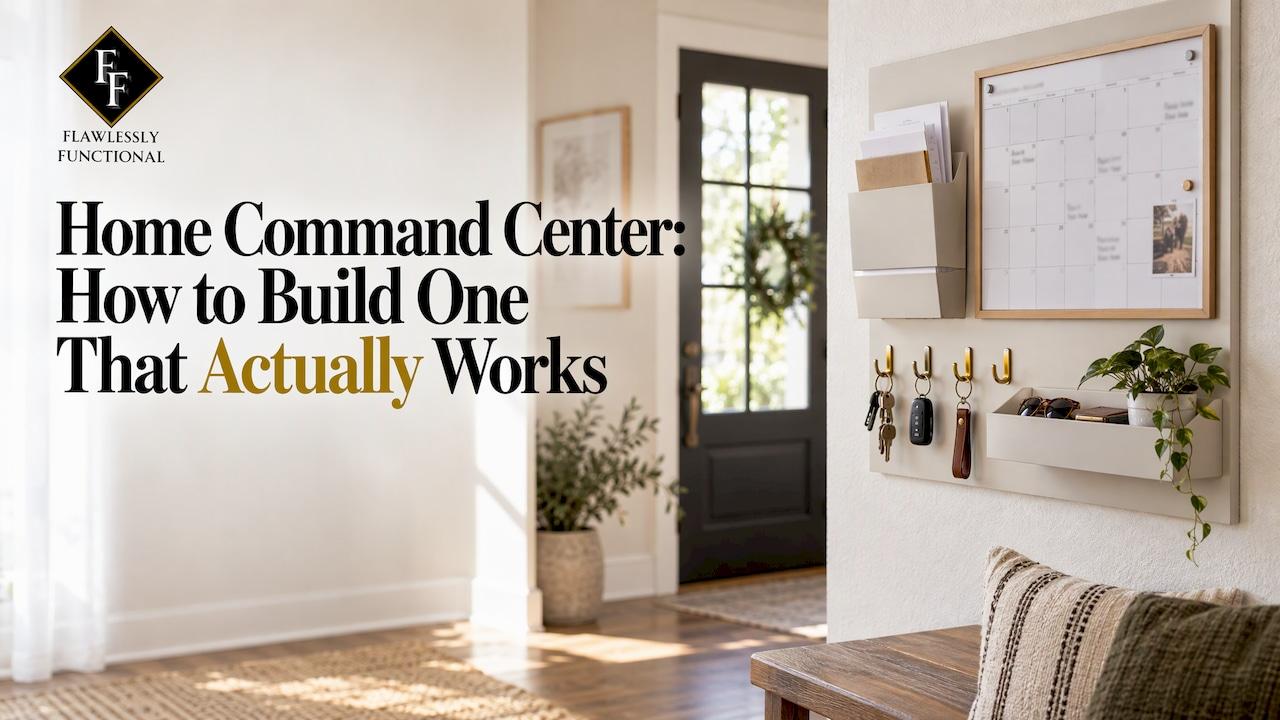
A home command center is one designated spot where the things that keep your household running live together: the shared calendar, incoming papers, keys, chargers and the list of what leaves the house tomorrow. Build it where your family already drops things, keep it to three to five jobs, and reset it weekly. That is the whole formula. The rest of this guide shows you how to apply it to a kitchen wall, a hallway, a mudroom or a hidden drawer.
TL;DR
- Put your command center where people pass several times a day and where things already pile up, not where it looks best.
- Start with three jobs: this week's calendar, papers that need action, and items that must leave the house.
- Add a charging spot and key hooks only if they solve a daily annoyance. Use a licensed electrician for any hidden wiring.
- Keep it alive with a short weekly reset and a monthly paper sweep. Remove anything unused for a month.
- If the system keeps growing, the problem is usually the amount of stuff behind it, which is where professional help pays off.
Table of Contents
- What a home command center is, and what it should handle
- Choosing the location
- Observe before you buy anything
- What to put in it
- Keep it from becoming more clutter
- Hidden charging stations and cable control
- A weekly rhythm that keeps it alive
- Our perspective
- Let us build it with you
- FAQ
- Sources
What a home command center is, and what it should handle
A command center is a designated place for the things that keep a household running smoothly, typically the shared calendar, incoming papers, keys or backpacks, charging, groceries and meal plans. It can be a wall, a cabinet door, a rolling cart or a corner of the mudroom. The format matters far less than the habit of checking it.
The family version (the one most people search for) simply adds more people to the same system. More people means more paper, more schedules and more devices, so the discipline of keeping it small matters even more.
Choosing the location
Location decides whether the system survives. Three rules are worth following, based on a guide that frames them as high traffic over high visibility, closeness to natural drop zones, and easy reach for everyone.
Good spots to consider
- Kitchen wall or coffee bar. One homeowner chose the wall by the coffee bar because the kitchen already supported breakfast, school prep, homework and dinner.
- Hallway beside the kitchen. A hallway next to the kitchen works when kitchen walls are reserved for décor or when you would rather not display appointments and papers prominently.
- Entryway or mudroom. Ideal for keys, bags and anything leaving the house.
- Vertical and awkward spaces. Closet doors, refrigerator sides, bookshelf sides, empty walls and awkward corners all work, as long as they are visible and accessible.
- Tight homes. A fridge end panel, pantry-door back or cabinet interior can hold a compact version.
Keep the display simple. Public Storage notes that too many papers, notes and lists make a command center harder to use.
Observe before you buy anything
Before you shop for a single hook, spend a week watching. The Type A Life suggests noting where items naturally land, which papers pile up, what information the family asks for most and when people check schedules.
Then plan on paper. Lay every component on the floor and measure your wall space before anything goes up. Taped-off or paper replicas let you test the layout before you drill.

Heights and zones
Divide the space by function: scheduling, mail and papers, quick access, and supplies. Most-used items go at eye level, roughly 48 to 60 inches from the floor, with child-reachable hooks or chore charts at 30 to 40 inches. With younger children, a message board beats thumbtacks, and adult calendars and mail bins stay at adult eye level.
What to put in it
Resist the urge to copy a photo of a perfect wall. Begin with the essentials and earn every addition.
| Component | What it does | Practical note |
|---|---|---|
| Monthly calendar | Appointments, birthdays, sports | Choose one large enough for the whole household |
| Weekly board | This week's priorities, menu | Dry-erase works well |
| Paper inbox | One place for incoming mail | Labeled sorter or cubbies |
| Key hooks or bowl | Keys never wander | Near the door you use most |
| Charging spot | Phones, tablets, earbuds | Charging blocks or wireless pads |
| Launch basket | Items leaving tomorrow | Cleared every Friday |
For a sense of scale, one guide suggests a 24 to 36-inch stretch near the most-used door holding a monthly calendar, weekly board, mail sorter, key hooks, a narrow shelf, two labeled baskets and a tray for forms. Another lists five essentials: a wall calendar, a whiteboard, a paper inbox, a key bowl and a charging station.
Keep it from becoming more clutter
The most common failure is a command center that tries to hold everything. Keep three to five categories, such as a weekly calendar, shared shopping list, paper that needs attention and a meal plan, and store anything not checked daily or changed weekly somewhere else.
A tighter starting point: three jobs only, this week's calendar, incoming papers that need action, and items that must leave the house. If a category goes unused for a month, remove it instead of adding a new container.
Handling household paper
Paper is what swamps most command centers. Use one physical inbox and three outcomes: act, file, or recycle and shred, processed on a fixed day, with an action folder for deadlines. Another approach sorts into act, file, recycle and brief display, and limits displayed artwork to a short rotation.
If your paper backlog is years deep, start with our four-pile method for paper clutter so the command center only ever handles current paper.
Hidden charging stations and cable control
A hidden charging drawer keeps devices off the counter. Know the limits before you start. A hidden drawer installation generally needs about 2 inches of clearance behind the drawer box, and the same guide warns that electrical work is dangerous: turn off power at the breaker, check whether a local permit is required, and call an electrician if you are unsure.
If you want an outlet that disappears into a countertop or island, flush pop-up outlets exist with magnetic USB-C coiled cords, cord clamps, splash resistance and ETL listing to UL 962A. Have a licensed electrician assess your wiring and counters.
No wiring needed for a tidy version: a six-port charging station, 10 to 12-inch cords and cord clips keep cables short and contained.

A weekly rhythm that keeps it alive
A command center only works while it is current. Pick the rhythm you will actually keep.
- Two minutes nightly. Empty backpacks, sort papers into calendar, sign or recycle, and look at tomorrow on the calendar out loud.
- Ten to fifteen minutes weekly. A Sunday-evening reset to remove old papers, file long-term items, process action papers and update next week's calendar.
- Monthly paper sweep. File or scan what you need and shred what you do not.
- Occasional deep reset. Strip everything off, sort into four categories, update the calendar four to six weeks ahead and put back only current items.
Tying the reset to something you already do, such as an evening routine, makes it more likely to stick. And if the weekly review keeps running long, one guide treats anything over 20 minutes as a sign the system has grown too complex.
Our perspective
We see the same pattern in San Antonio homes again and again. A command center fails when it is designed as a decoration instead of a response to how the household actually moves. The calendar goes where the family walks, the paper inbox goes where the mail lands, and everything else earns its place.
Our approach is to build lasting systems around each household's routines, then make them look as good as the rest of the home. A command center should feel like part of your design, not a bulletin board stuck on a beautiful wall.
It also depends on what sits behind it. If the pantry, entry closet or office is overloaded, a command center becomes one more surface to manage. Organizing those spaces first gives the system room to breathe, and it is why we pair functional layout with visual calm on every project.
Steve
Let us build it with you
If you would rather have a command center designed and installed around your routines than assembled over several weekends, our luxury home organizing service is built for that. We tailor each project to your household, from the entry and kitchen to the office and pantry, with minimal disruption. Moving soon? Our moving management concierge can set up your new home's command center as part of unpacking, so day one already runs smoothly.

Many of our clients start by pairing this with a related space. Our guides to home office organization and minimalist home organization show how to declutter first, then organize.
FAQ
What is the best place for a family command center?
Choose a spot your family passes several times a day and where things already collect, usually the kitchen, a hallway beside it, the entry or the mudroom. Visibility matters, but traffic matters more. Observe your household for a week before you commit.
How many things should a command center hold?
Three to five categories is plenty. A good start is this week's calendar, papers that need action and items that must leave the house. Remove anything you have not used in a month.
Can I hide a charging station in a kitchen drawer?
Yes, but it involves electrical work. Allow about 2 inches of clearance behind the drawer box, switch off power at the breaker, check local permit rules and hire an electrician if you are unsure. Plug-in charging blocks with short cords are a no-wiring alternative.
How do I stop a command center from filling with paper?
Use a single inbox and decide on each paper: act, file, or recycle and shred. Process the inbox on a fixed day each week and sweep old paper monthly.
How long should maintenance take?
Plan on about two minutes nightly and 10 to 15 minutes weekly. If it takes much longer, simplify the system rather than push harder.
Sources
- Taste of Home: DIY kitchen command center
- Apartment Therapy: What is a command center
- Public Storage: Command center ideas
- The Type A Life: Home command center that works
- Project: DIY Our Home: DIY family command center
- The Family Station guide
- JoyHome: Home command center layout
- Chowhound: Kitchen command center
- The Routine Edit: Back to school organization
- Organizing Moms: Family command center
- Try Orbits: Family command center
- Full Healthy Lives: Command center without clutter
- BetterHomeHabits: Paper clutter command center
- The Calm Roost: Back to school home reset
- Fun Home Building: Hidden charging station
- Docking Drawer: Flush pop-up outlets
- Sideofglam: Family command center for the school year
- Caregiving for Kin: Simple command center
- Neutral and Nooks: Spring clean reset
- Zenframe: Minimalist family command center