
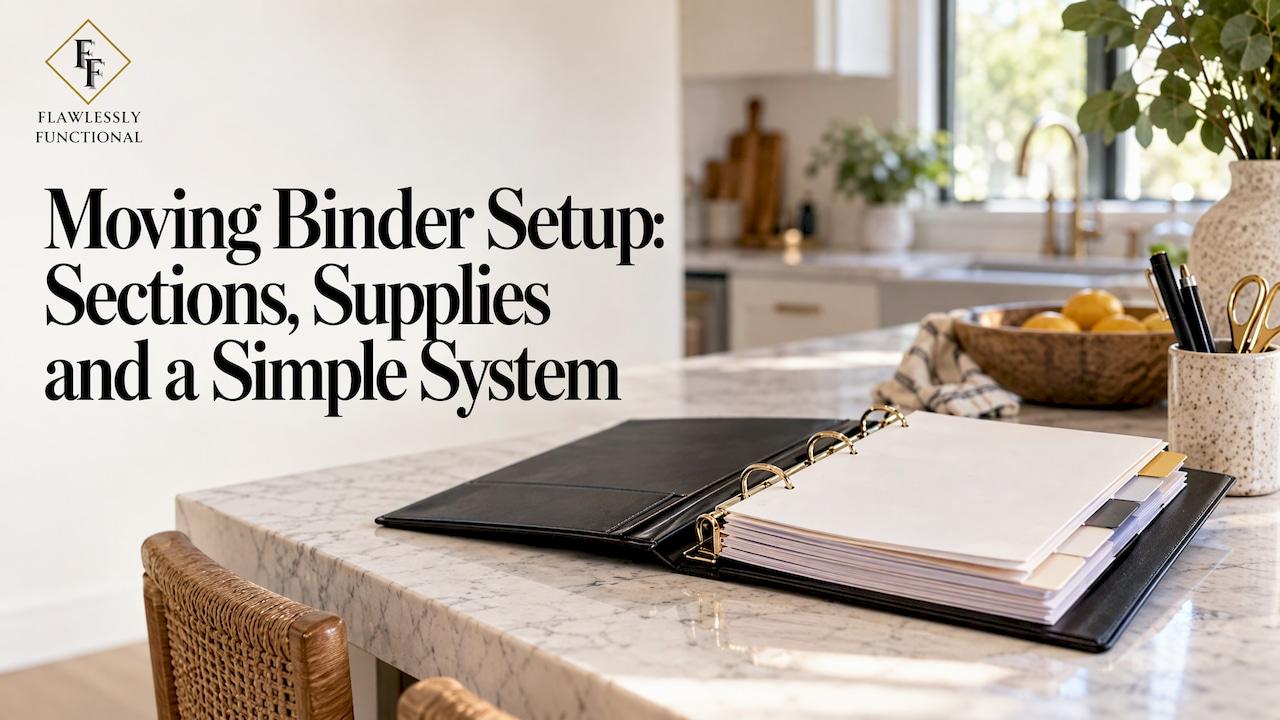
A moving binder is one place, paper, digital or both, where every quote, contract, receipt, account number and deadline of your move lives. Set it up in one afternoon with a 2-inch binder, eight to ten tabbed sections, a zip pouch and a matching cloud folder, and you stop hunting for paperwork in the middle of the busiest weeks of your year. Below is the full setup, section by section, with what goes in each and where it usually goes wrong.
If you would rather not carry the whole project yourself, our moving management concierge covers packing, unpacking, downsizing and organizing during a relocation for San Antonio homeowners. The binder below works either way: it is the control center for a move you run, or the briefing file for a team that runs it with you.
- ✓Packing
- ✓Unpacking
- ✓Downsizing
- ✓Organizing during relocation
TL;DR
- Build one binder as the master record, with a matching digital folder as the backup, and keep the category order identical in both.
- Use a 2-inch binder, tab dividers, sheet protectors, a zip pouch and a label maker. The whole kit is a single store run.
- Core sections: timeline, contacts, quotes and contracts, receipts, utilities and address changes, inventory, move day, and new home.
- File each new paper the moment it arrives, photograph it, and put the photo in the matching digital folder.
- Bring the binder with you on moving day. It should never ride in a box on the truck.
Table of Contents
- Why a moving binder is worth an afternoon
- Physical, digital, or both?
- Supplies: the one-trip kit
- The sections, tab by tab
- Quotes, contracts and receipts
- Utilities and address changes
- Inventory: the section that pays for itself
- Using the binder before, during and after moving day
- Our perspective on the moving binder
- When a binder is not enough
- Frequently asked questions
- Sources
Why a moving binder is worth an afternoon
A move generates a surprising amount of paper: estimates from several movers, a signed agreement, a lease or closing package, utility confirmations, deposits, receipts for supplies, school or medical records, and dozens of small decisions you will need to remember. Most of it arrives by email, text or a phone call, in no particular order, over a span of weeks.
The binder does three jobs. It keeps documents in one place, so you are never searching three inboxes for the mover's confirmation. It turns the move into a sequence with owners and dates. And it gives you something to hand to anyone helping you, whether that is a partner, a relative or a professional team. The best versions treat the binder as mission control rather than a scrapbook, a point Hyper Blog makes about keeping only working documents inside. If a page does not help you act, decide or prove something, it stays out.
Physical, digital, or both?
Both, with the physical binder as the master. Here is why each half earns its place.
Paper works with no battery, no signal and no password. On moving day, with phones at 20 percent and Wi-Fi not yet connected at the new house, a binder on the counter still opens. Some offices and counterparties still want a signature in ink, and it is easier to sign a page you can put your hand on.
Digital survives loss and is searchable. A binder left on a truck seat or in a box is gone, but a cloud folder is not. A phone-based system, with one top-level Moving folder and subfolders for lease and contracts, utilities, receipts, condition photos and inventory, syncs through iCloud or Google Drive. The catch is that a binder living only on one phone is one cracked screen from gone, so confirm the sync has actually finished before moving day.
The rule that keeps the two versions from drifting apart: use the same category order in both, and keep a one-page contact and deadline index at the front of the paper binder. Move Workbook recommends plain filenames that include the purpose and the date in year-month-day order, and a digital copy backed up somewhere other than the device traveling with you. A filename such as "2026-11-12-mover-estimate-signed" sorts itself.
For email, create a main Relocation folder with a subfolder for each move named by year and city. Move Mama Move suggests this because most correspondence with service providers arrives by email. Set a filter that routes anything from your mover, utility companies and real estate contacts into that folder, and you will have a running record without lifting a finger.

Supplies: the one-trip kit
You do not need a craft store haul. You need:
- A 2-inch three-ring binder. For a typical family move, two inches is the size recommended. A 1.5-inch binder works for a small apartment or a one-person move. Choose a bright cover so you can spot it in a pile of boxes.
- Tab dividers with pockets. Eight to ten, in a color-coded set if you like. Pocket dividers hold loose receipts until you have time to file them properly.
- Sheet protectors. For contracts, the inventory and anything you will handle repeatedly. Powerhouse Planning also suggests using clear protectors with a dry-erase marker so checklists can be reused for a future move.
- A zippered pouch with binder holes. One for receipts and keys-and-codes slips, one for pens, sticky flags and a mini stapler.
- A hole punch and loose-leaf paper. Keep a few sheets in the back pocket for notes you take on calls.
- A label maker or a sheet of large-tab labels. Readable tabs matter more than pretty ones.
- A phone with a scanning app, and a cloud account with space to spare.
One small habit worth borrowing: a simple pen system. Black for ordinary notes, blue for anything you sign, red for anything that must stand out, as Move Mama Move describes. It sounds trivial, and it makes a page scannable at a glance when you are tired.
The sections, tab by tab
There is no official standard. The structure below follows the chronology of a move, because that is how you will reach for it: first the plan, then the people, then the paperwork, then the boxes, then the day itself.
| Tab | What goes in it | Common mistake |
|---|---|---|
| 1. Timeline and master to-do | Week-by-week task list with an owner and a due date on every line | A list with no dates, so nothing gets done until it is urgent |
| 2. Contacts | Movers, real estate agent, landlord or closing contact, utilities, school, insurance agent, building manager | Numbers saved only in your phone |
| 3. Quotes and contracts | Every estimate, the signed agreement, the insurance or valuation coverage page, the confirmed dates | Keeping only the winner and discarding the other quotes you compared |
| 4. Receipts and budget | Deposits, supplies, tips, storage fees, with a running total | Loose receipts in a bag that never gets sorted |
| 5. Utilities and address changes | One row per provider and per organization notified | Setting up the new home but forgetting to stop the old one |
| 6. Inventory | Room-by-room list of belongings, valuables and box numbers | Starting it on packing day |
| 7. Move day | Schedule, access codes, parking and elevator details, the essentials box list | Details that live in a text thread |
| 8. New home | Floor plan, measurements, warranties, manuals, unpacking priorities | Paperwork from the closing scattered in a box |
| 9. Important documents | Copies of lease or closing papers, ID copies, insurance, school and medical records if needed | Carrying originals when copies will do |
If you want a tenth tab, make it "Parking lot" for ideas and questions that arise mid-move. It keeps the main sections clean.
Quotes, contracts and receipts
This is the section people most often build badly, and the one that matters most if something goes wrong.
Quotes and contracts. Put every estimate in, with the date, the company, what it covered and what it left out. When you compare, you want the three documents side by side. Open Door's moving guide lists moving company quotes and contracts among the first things a central hub should hold. Behind the signed agreement, file the confirmation of the date and time window, plus the page that states what coverage applies to your belongings. If you are still choosing a mover, our guide on verifying FMCSA registration and comparing estimates shows what to check before anything goes into this tab.
A practical trick from Move Mama Move: when you read a contract, write your question on a sticky note and place it beside the exact line it concerns, with an arrow. When you call the company, every question is already attached to its clause. The same source describes the Post-It technique in detail.
Receipts. Use the pocket divider as a holding tray, then once a week log amounts on a single budget page: date, vendor, purpose, amount, paid or pending. Photograph each receipt as you drop it in. Hyper Blog's advice is to avoid waiting for a big scanning day that never arrives, and instead photograph each important paper when it goes in and file the picture into the matching cloud folder. Do this and the digital copy never becomes a backlog.
Important documents. Keep signed contracts, ID copies, lease or purchase documents, insurance confirmations and high-value receipts. Do not scan everything. A selective digital copy is easier to search and easier to protect. Keep the cloud folder password-protected, and keep originals of sensitive documents with you instead of in a box.
Utilities and address changes
This tab is a table you fill in once and consult constantly. Make one row for each of electricity, water, gas, internet, trash and any building-specific access such as gate or garage systems. Record the provider, the account number, the service address, the date service stops at the old home, the date it starts at the new one, the confirmation number, and notes about deposits or final bills. A utility transfer sheet of this kind tracks the same fields.
For address changes, use a second page with a row per organization: bank, employer, insurer, doctors, schools, subscriptions, the post office. Add a column for how you updated it (online, phone, mail), the date you submitted it, whether you received a confirmation, and whether a follow-up is needed. The "confirmation received" column is the one that saves you, because a change that was never confirmed has not happened.
Two timing notes for Texas moves. Utilities in many Texas areas can be set up online in a single sitting, so set the stop and start dates on the same day and write both on the page. And keep the old home's final reading or final bill notes in the binder for a few months after the move in case a charge appears late.
Inventory: the section that pays for itself
A room-by-room inventory is both an organizing tool and your record if anything is damaged or lost. The Allstate moving guide says a home inventory kept in a safe place with your receipts can be invaluable in the event of an insurance claim, and suggests photographing or filming every room, focusing on significant items, with the files backed up to the cloud.
Build it this way:
- One page per room. List furniture, electronics, art, rugs, collections and anything you would need to replace.
- A value column for the items worth more than a few hundred dollars, and a note on where the receipt or appraisal is.
- Condition photos of furniture before it is wrapped. Open Door advises noting existing damage before loading so you can tell it apart from damage in transit.
- A numbered box log. Each box gets a number, a destination room, a short description of contents, a fragile or heavy marker, an unpacking priority, and a status of open-first, store or donate.
Before you inventory, decide what is actually coming along. Our downsizing routine of 20 to 30 minutes a day, one room at a time keeps the list short, and every item you remove is one fewer line to track. For delicate items, the room-by-room fragile packing guide tells you what to record next to each one. A wardrobe full of heirloom garments needs its own line in the log, and our wardrobe packing guide explains how to keep those pieces protected and ready to rehang.
Using the binder before, during and after moving day
A binder you built once and never opened is a folder. Use it on a rhythm.
Six to eight weeks out. Fill the timeline with dates and owners. A suggested timeline breaks the move into manageable chunks, and assigning an owner to each task makes it clear who is accountable, which Powerhouse Planning built its free binder around. Book the mover, start the utility transfers and begin the inventory.
Two to four weeks out. File confirmations as they arrive, update the address-change page weekly, and review the contacts tab for anything missing. Print the move-day page.
The week of. Pack a move-day essentials box and add its list to tab 7. Charge your phone and confirm that the cloud sync is current. Put the binder in your car, not the truck.
Moving day. Stay present while the crew loads, as Open Door advises: use the numbered box inventory to check items off, point out fragile or high-value pieces, and get a signed receipt when you hand over keys, garage remotes, gate codes and access cards. Write the arrival time and any issues directly on the move-day page.
First 48 hours. Open tab 8, check the delivered boxes against the log, and note anything missing the same day. Our first 48 hours checklist covers the safety and setup steps that belong on that page. If this is a newly built home, the new-build move-in plan adds the items specific to it.
After the move. Keep the binder for several months, until final bills are settled and any claim window has closed. Then archive the cloud folder and recycle what you do not need. If you move long distance, the long-distance essentials guide shows what to add to the binder for a multi-day trip. When you unpack, the 3 to 7 day plan for finishing core rooms works from the same box log.
Our perspective on the moving binder
A binder is the single most useful thing a client can hand us before a move, and it is also the first thing that falls apart when a household is busy. The reason is simple: the system only works if someone keeps it current, and during a move nobody has the spare hours.
That is why we think of the binder as a decision record, not a filing project. The details that matter, such as which rooms receive which boxes, what is staying, what is being donated and who is meeting whom at what time, are all choices. When they are written down once, the move runs on the plan instead of on memory.
For the households we work with in San Antonio, the aim is a move that disrupts daily life as little as possible and ends in a home that is functional and beautiful on the first night, not the fourth week. Our moving management concierge covers packing, unpacking, downsizing and organizing during relocation, and a well-kept binder makes each of those steps faster. It lets us work from your priorities rather than guess at them.
If you build one, build it for the version of you who is standing in the new kitchen at 9 p.m. with a box cutter and no idea where anything is. That person will thank you.
Steve
When a binder is not enough
A binder organizes information. It does not pack the boxes, sort the closets or sit in the new house directing where the sofa goes. If you are juggling work, children and a closing date, the binder can become one more task on the pile.
Flawlessly Functional offers moving management concierge and white glove moving for San Antonio homeowners, covering packing, unpacking, downsizing and organizing during relocation, and our clients rate us 4.9 on Google. We work to your household's routines so the new home is set up to function and to look the way you want. If you are also planning to organize the home you are moving into, our luxury home organizing service builds lasting systems customized to each space.

Bring your binder, or start from a blank page, and we will take it from there.
Frequently asked questions
How many sections should a moving binder have?
Eight to ten is the practical range. Fewer than that and sections become junk drawers, more and you spend time deciding where things go. The tabs above, from timeline to new home plus an important-documents tab, cover a typical household.
What should I never put in my moving binder?
Keep out anything you will not use during the move, and be selective with originals of sensitive documents such as passports or birth certificates. Carry those with you rather than leaving them in a box, and keep copies in the binder instead. The digital folder should be password-protected.
Should I make a moving binder if I hire help?
Yes. It becomes the briefing file: your inventory, access codes, move-day schedule and priorities in one place. Anyone helping you works faster when the decisions are already written down, and you keep your own record of what was agreed.
How long should I keep the binder after the move?
Keep it until the final bills are settled, any damage claims are resolved and your address changes are confirmed, which is usually several months. Then keep the signed contract and any inventory for valuables with your regular household records, and recycle the rest.
Can I run the binder entirely on my phone?
You can, if the folders are synced to the cloud and you have confirmed the sync before moving day. A phone-only system is one lost or broken device away from gone, so most people are better off with a slim paper binder alongside it.
Sources
- How to Create a Moving Binder (Hyper Blog)
- How to Make a Moving Binder on Your Phone
- Moving Binder and Documents Checklist (Move Workbook)
- The Best Way To Stay Organized While Moving (Move Mama Move)
- Move Binder (Powerhouse Planning)
- The Complete Moving Checklist (Open Door)
- Moving Binder Printables for an Organized Move
- Printable Moving Guide (Allstate)